
Bring your own.
ScholarCal is a backend for agent communication, not a walled garden. Give any agent you already use a private, revocable way to plan and schedule on your behalf.
Copy and paste this into your agent’s chat
Read https://scholarcal.com/skill.md and follow its setup instructions. Help me connect you to my ScholarCal account, and ask me for a scoped API key only when you are ready to configure it.1. Copy the setup prompt.
2. Paste it into your agent.
3. Approve only the access it needs.
MCP or REST
A hosted MCP server at /api/mcp, plus a documented REST API and OpenAPI spec.
Scoped, revocable keys
Issue a key with read-only or write access, and revoke it from Settings at any time.
Any compatible agent
Claude, ChatGPT, Codex, OpenClaw, or your own. It runs on the subscription you already pay for — no OpenAI or Anthropic key needed.
Feature Deep Dives
Unified Calendar Ingestion
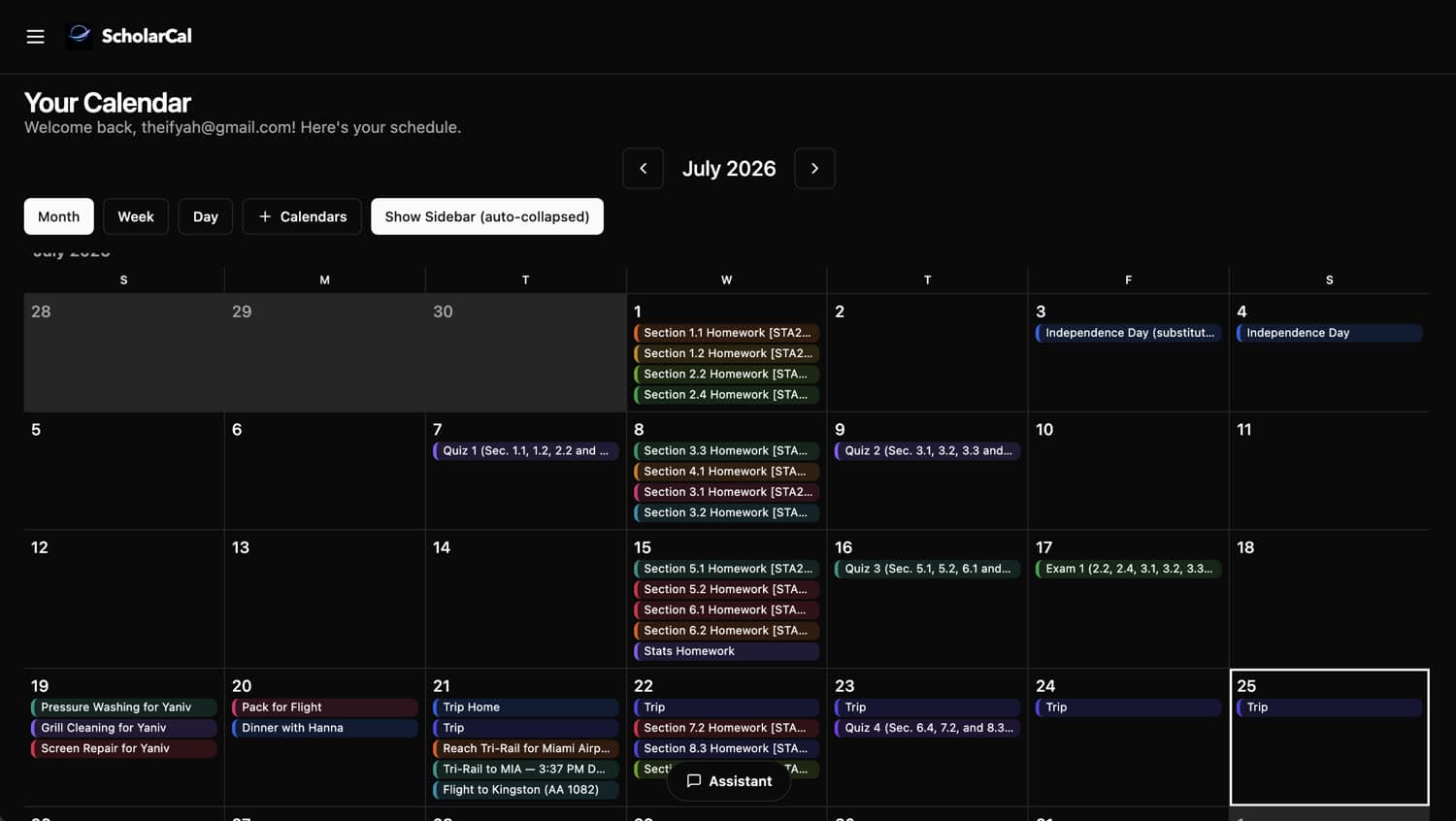
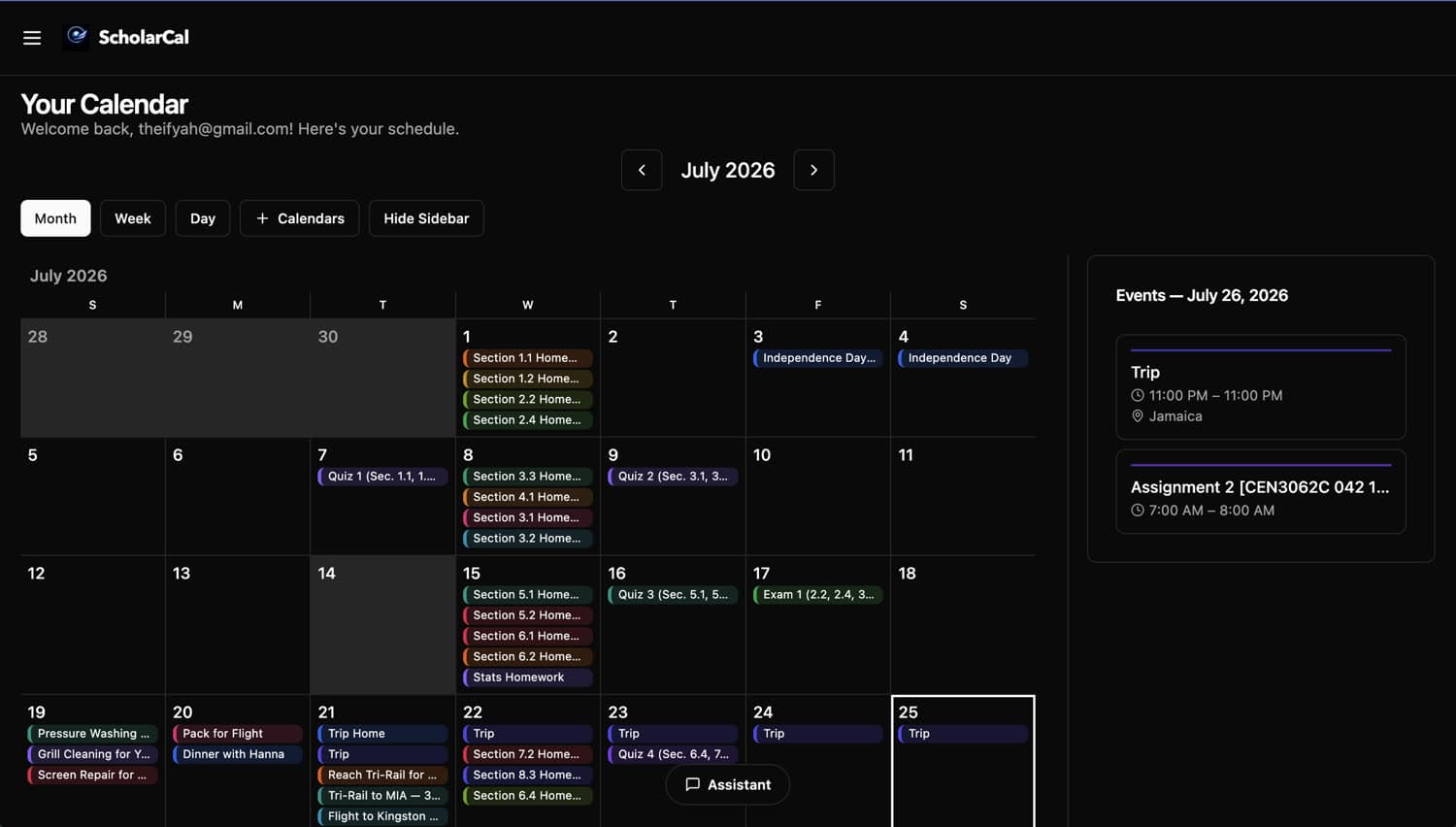
Connect Google Calendar, Microsoft 365, Canvas LMS, and iCal feeds. Incremental sync keeps every source current in one unified, filterable view and flags upstream changes for review.
AI Scheduling Assistant
Describe what you need in natural language. The assistant handles conflict checking across your connected calendars, proposes the best open times, and waits for you to confirm or adjust.
Smart Reminders
Reminders for everything on your calendar — including events synced in from Google, Outlook, Apple, or Canvas. Configurable offsets with quiet hours support.
Drag-and-Drop Editing
Move events between time slots with drag-and-drop in week and day views. Changes persist instantly via optimistic updates.
Meeting Recording
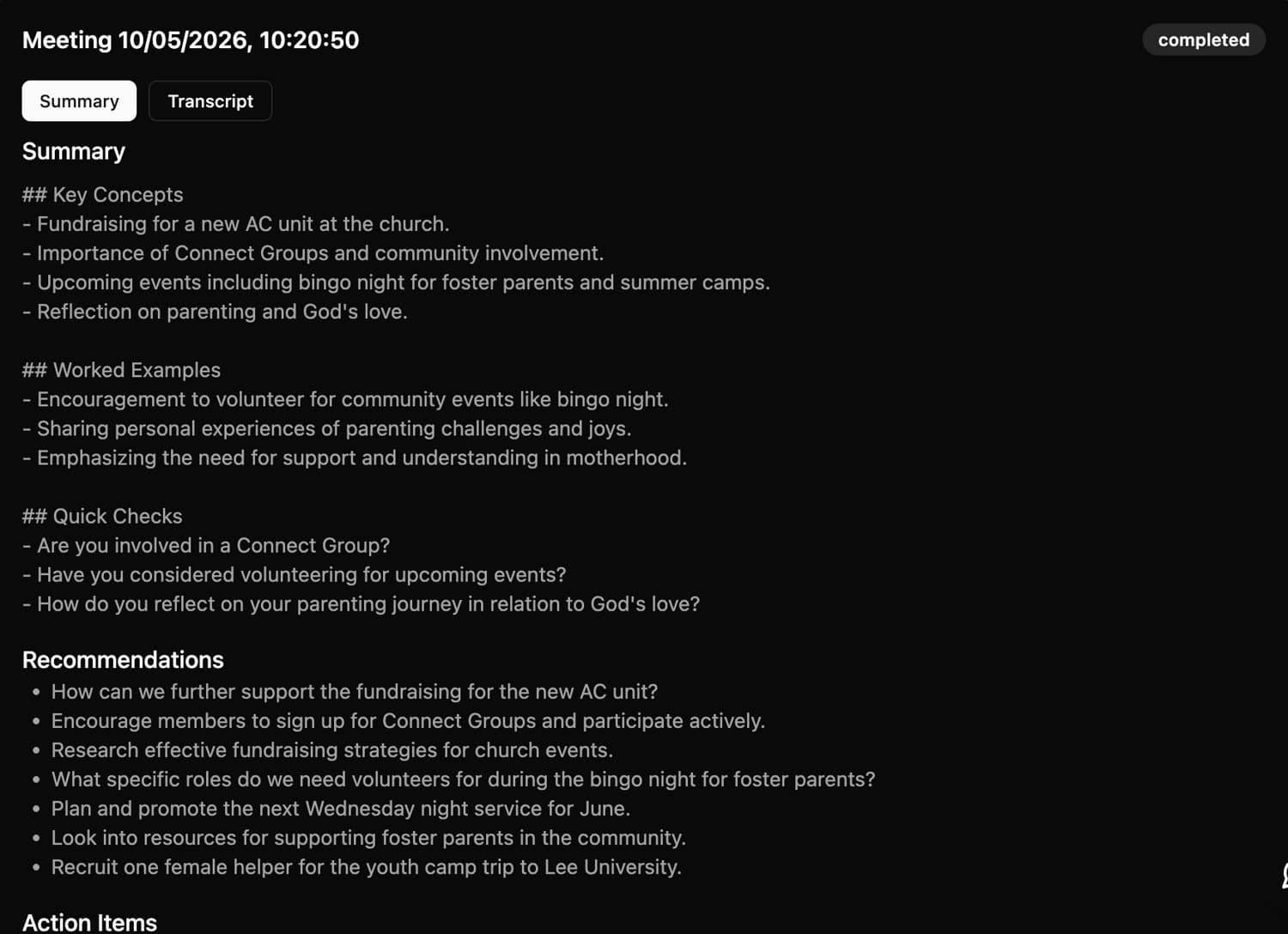
Record a lecture or call and get the full transcript plus a summary of it — key concepts, recommendations, and action items.
Notes
Write and keep notes alongside your schedule, with math and rich formatting when you need them.
Agent-to-Agent Scheduling
Pair with someone once and the two agents settle a time between themselves — proposing, countering, confirming — without either side reading the other's calendar.
Study Tracking
Log study sessions against a course and see hours per week. Early, and getting better.
How It Works
Connect your sources
Link Google, Microsoft, Canvas, or import an ICS file. Tokens are stored securely with per-user encryption.
Review and import
Events sync automatically. Review proposed items, resolve conflicts, and filter by source, type, or course.
Plan with AI
Ask the assistant to schedule meetings, build study plans, or draft emails. Confirm with one click.
Built for everyone
Students
Turn Canvas deadlines into study blocks. See assignments, exams, and personal events in one view.
Professionals
Meetings, follow-up emails, and recordings in one place — while you keep working out of Outlook or Google.
Teams
Shared calendars, Teams meeting links, and scheduling across time zones — all without leaving ScholarCal.
Families
One source of truth for household schedules. Shared calendars keep everyone on the same page.
Developers
Build agentic workflows via the API, MCP server, and SDK. Automate scheduling, sync pipelines, and calendar-driven automation.
From sign-up to a calendar that runs itself
Connecting takes about five minutes. After that, you ask in plain language and the agent does the scheduling.
Connect your calendars
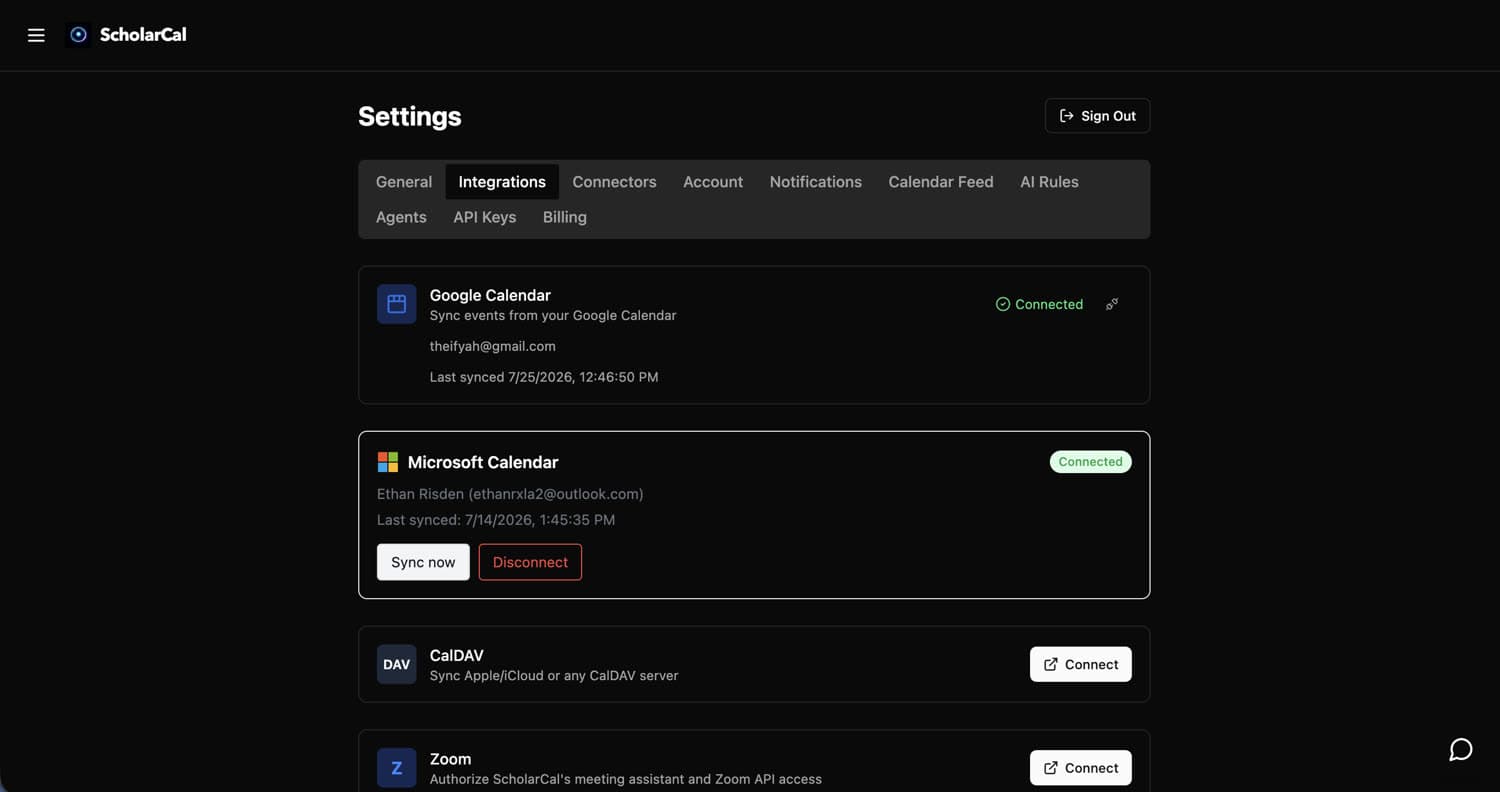
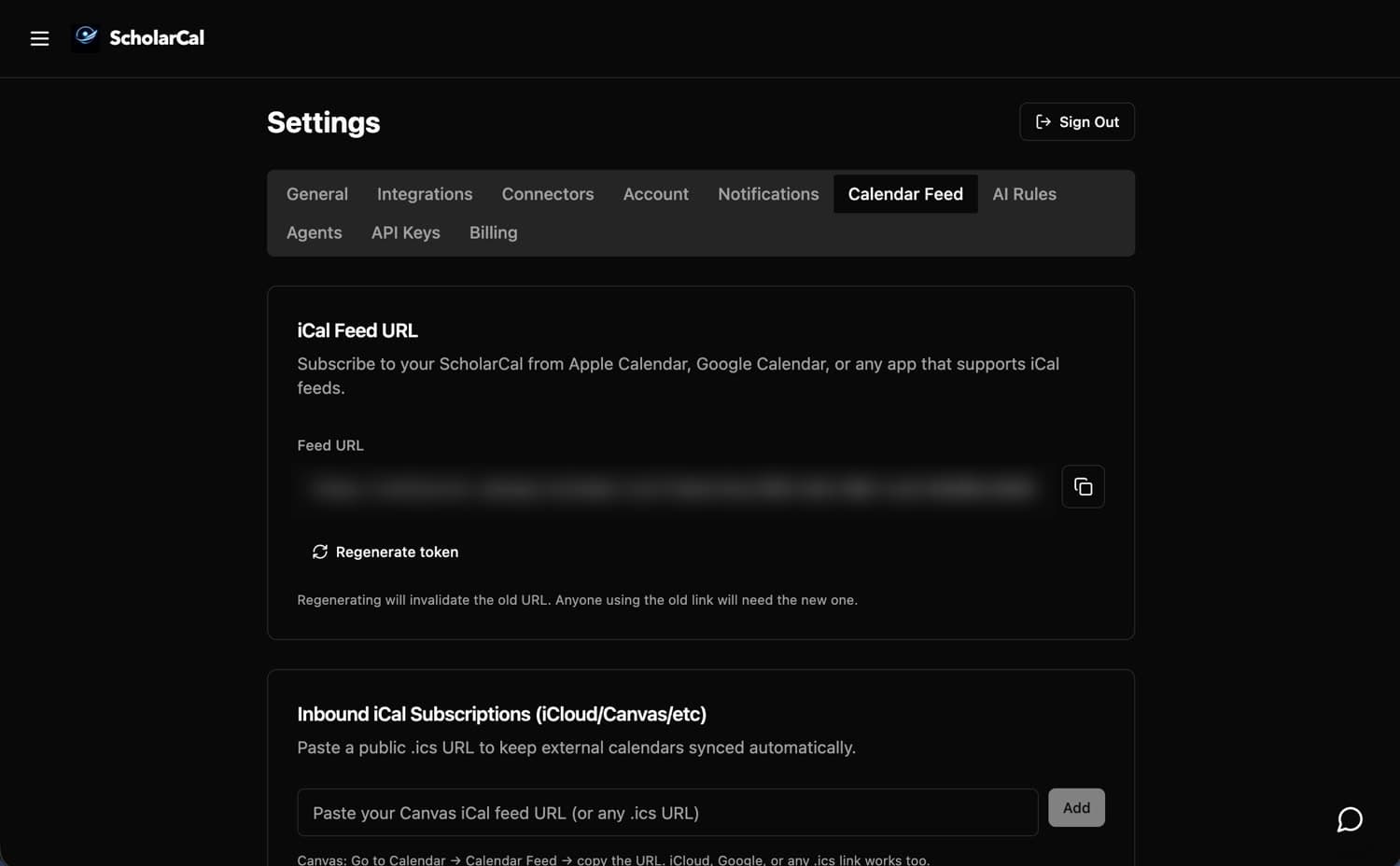
Settings → Integrations for Google, Microsoft, or any CalDAV server, and Calendar Feed to subscribe to a Canvas or Apple feed by URL. OAuth only — ScholarCal never asks for your password, and disconnecting deletes the synced data.
Pair your agent
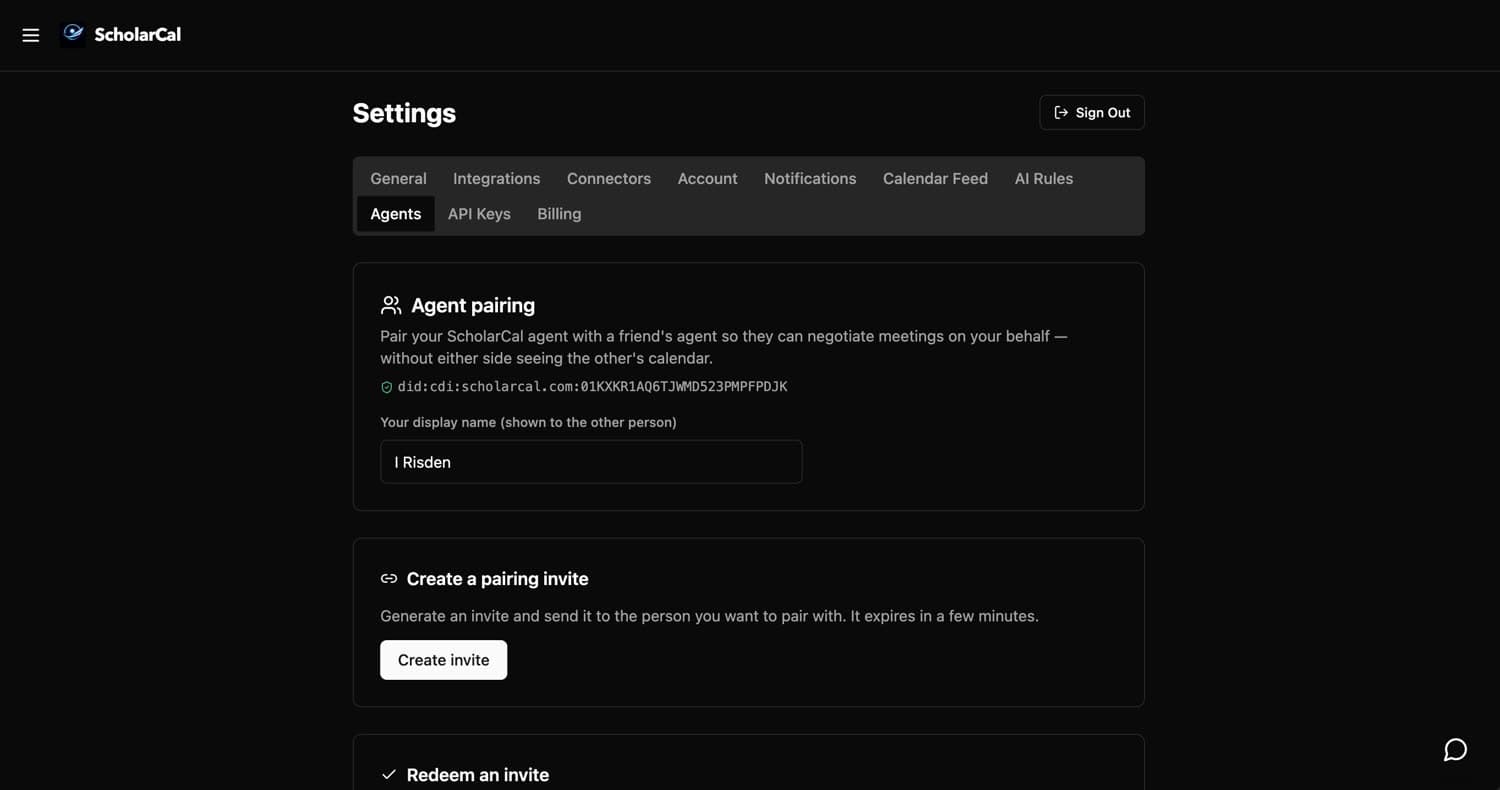
Settings → Agents. Create an invite, send it to someone, and your two agents can negotiate meetings on your behalf — without either side seeing the other’s calendar.
Ask for what you need
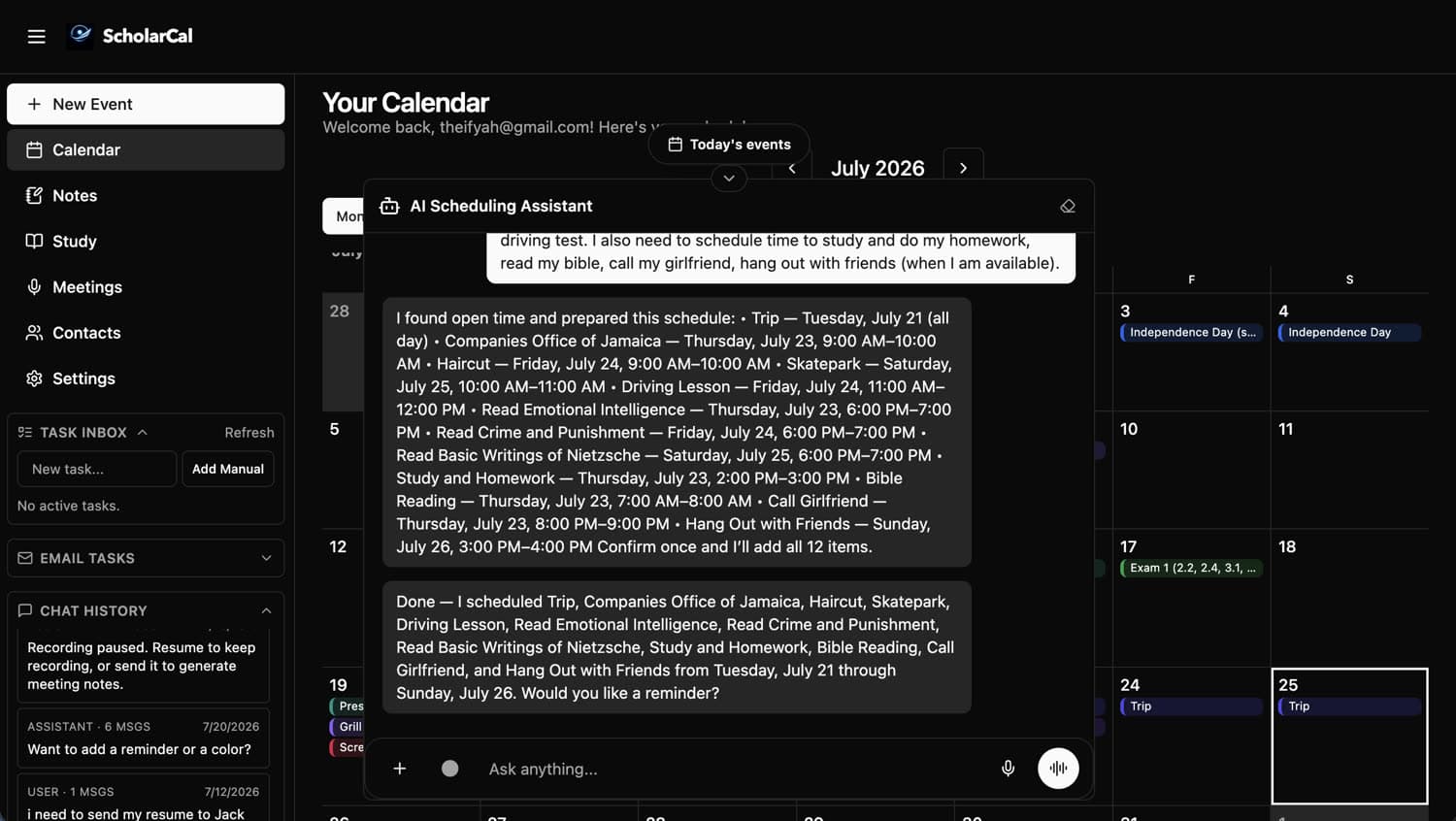
Say it in plain language — a week of study blocks, a haircut, a flight. ScholarCal reads your existing schedule, finds the open time, and lays out the whole plan with real times.
Let the agent do the work
Say the word and it writes every event to your calendar at once — no dragging blocks around a grid. It still asks before it writes, so nothing lands without you.
Send the follow-up
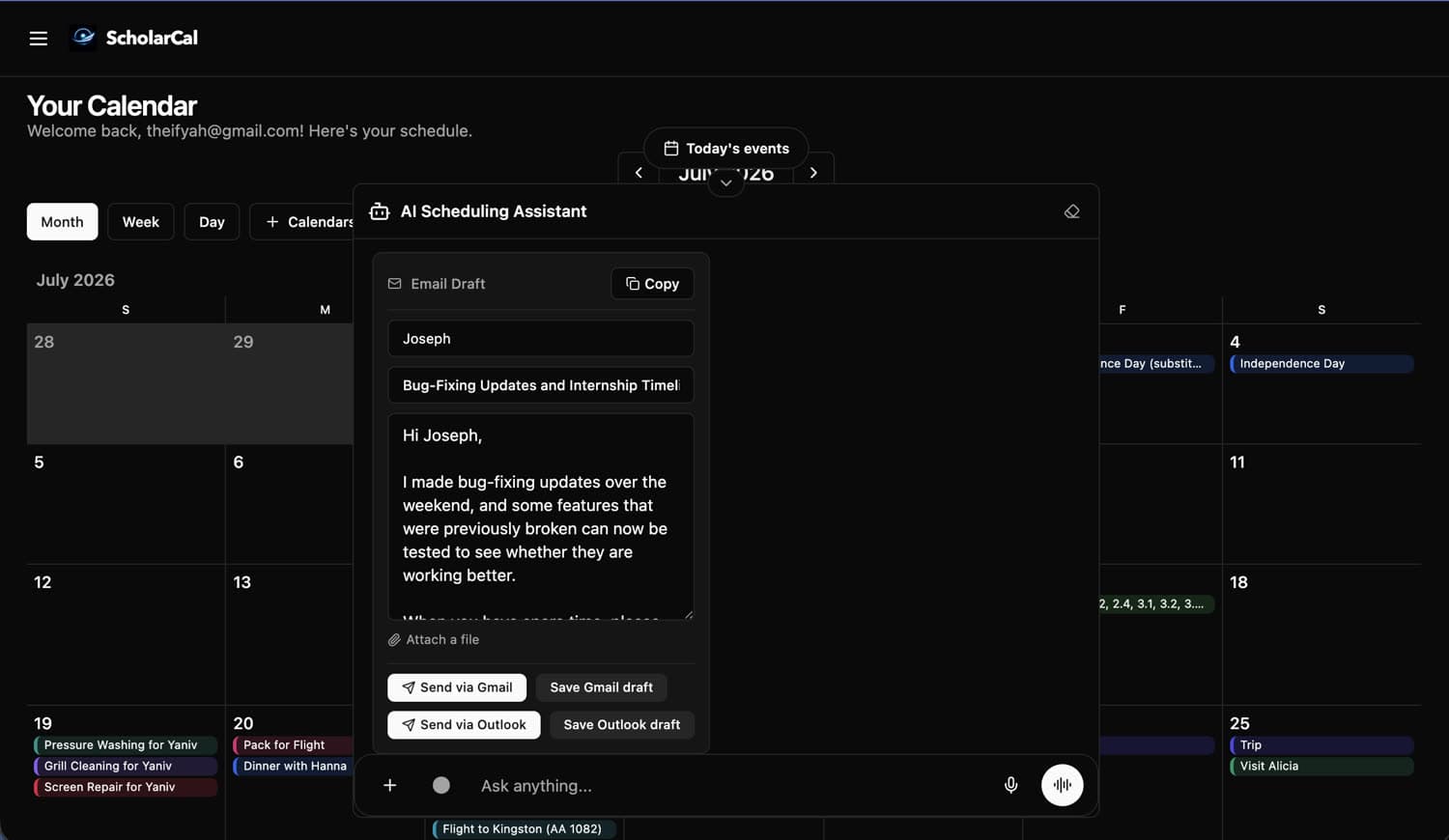
Ask it to write any email — a follow-up, an introduction, a reply you have been putting off. Attach a file, then send it or save a draft straight to Gmail or Outlook.
Record the meeting
Record a lecture or a call and get back the full transcript plus a summary of it — key concepts, recommendations, and action items, with the transcript still there when you need the exact wording.
Let it run
Your calendar stays in sync across every source you connected, in one view. Keep using Google, Outlook, or Apple — ScholarCal works underneath them.
See it in action
Create your free account and connect your first calendar in under a minute.
Make an Inquiry
Send us a message and we'll reply by email.